Docflow Verification opt-in
Docflow Verification is an account-security text messaging program. Users opt in during two-factor authentication enrollment inside the Docflow application. This page documents the consent flow and the program disclosures.
Sign in to Docflow
A user signs in to the Docflow application at auth.docflowlabs.com. Docflow is a healthcare document-automation platform used by authorized business users at our customer organizations.
Choose a verification method
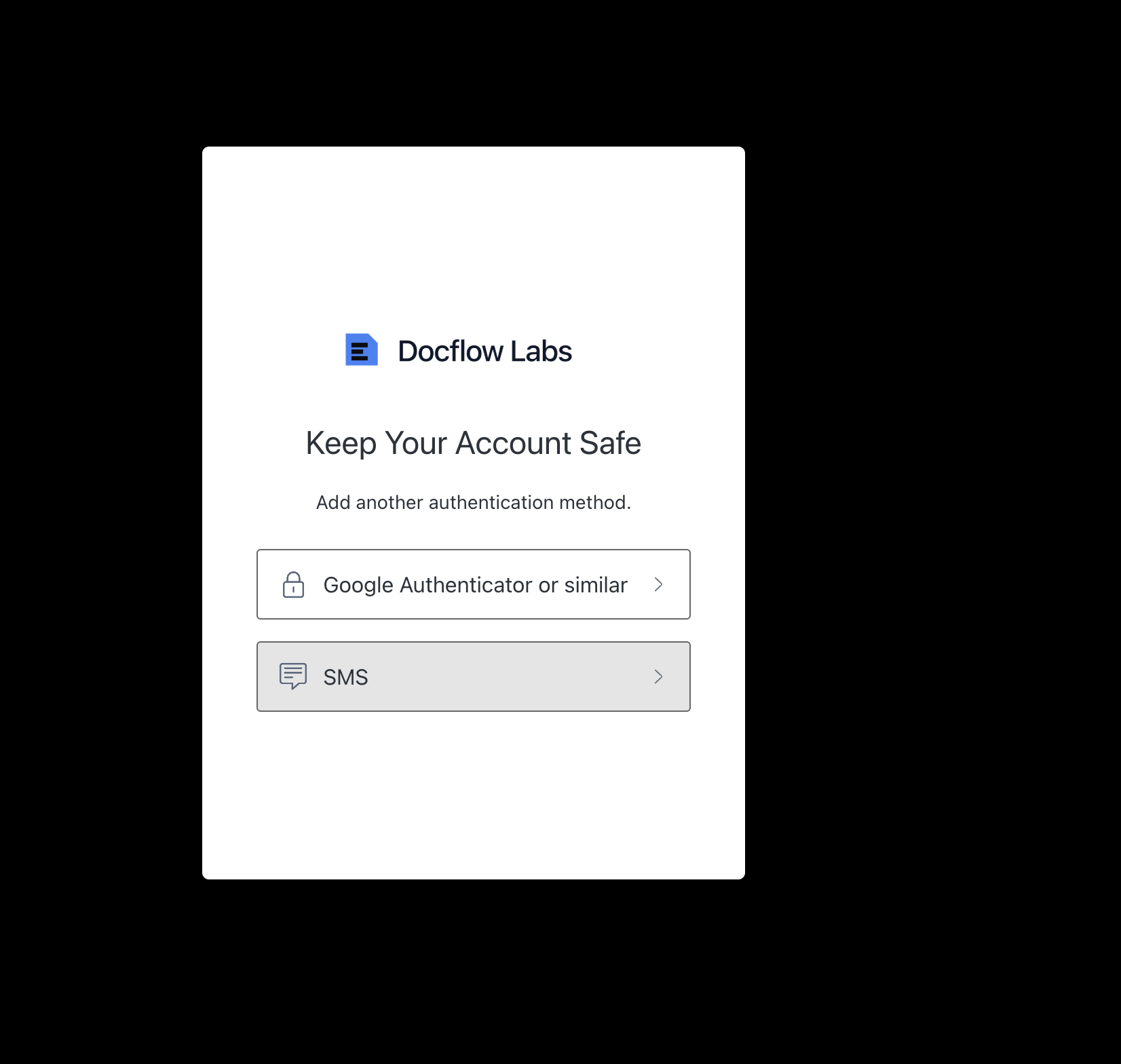
During two-factor authentication enrollment, the user is asked to add a second authentication method and chooses between an authenticator app and "SMS." Selecting SMS is the explicit, affirmative action by which the user opts in to receive text messages.
Enter a phone number to receive codes
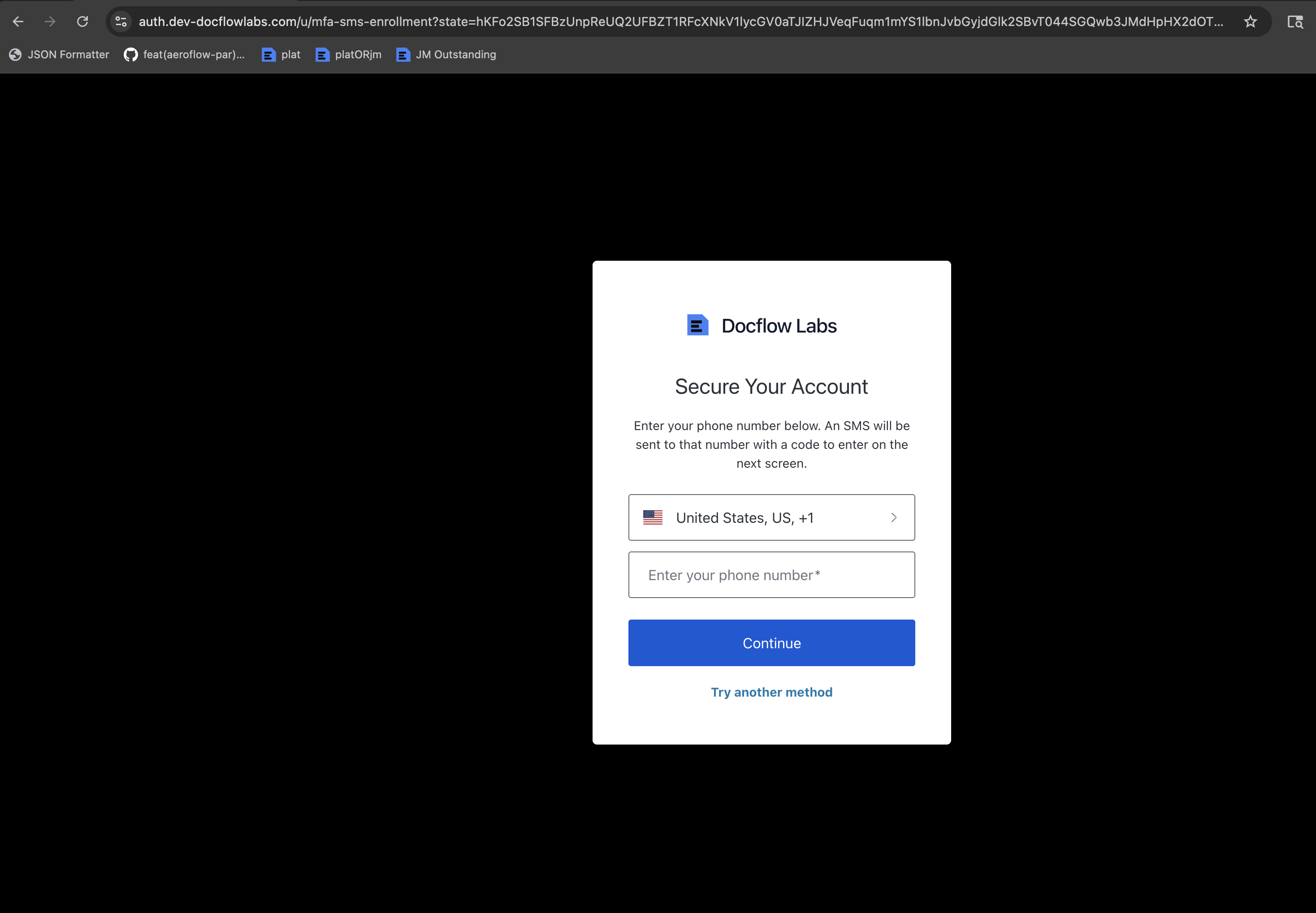
The user enters their own mobile number. The screen states verbatim: "Enter your phone number below. An SMS will be sent to that number with a code to enter on the next screen." This discloses the purpose of the messages at the point of consent. The user may choose "Try another method" at any time instead of providing a number.
Receive verification codes
After opting in, Docflow sends a one-time verification code by SMS when the user signs in. Messages are sent only in direct response to a login or enrollment initiated by the user.
Program disclosures
- Program name
- Docflow Verification
- Message purpose
- Account-security one-time passcodes for two-factor authentication at sign-in.
- Message frequency
- Message frequency varies based on the user's sign-in activity.
- Cost
- Message and data rates may apply.
- Opt-out
- Reply STOP at any time to stop receiving messages. Reply HELP for help, or contact [email protected].
- Privacy
- No mobile information is shared with third parties or affiliates for marketing or promotional purposes. See our Privacy Policy.
Full terms are in ourTerms of ServiceandPrivacy Policy.